Which fonts are included in Hatch Embroidery 4?
Embroidery fonts are specially digitized to stitch cleanly and consistently. For best results they should be used within recommended size ranges, as very small or large lettering, especially lower-case characters, can affect stitch quality. Hatch Embroidery also supports special characters – where available in the font – and applies preset join methods to control how letters connect during stitching, helping to balance appearance and efficiency by minimizing trims, preserving original digitizing, or hiding joins in textured fabrics.
Minimum & maximum sizes
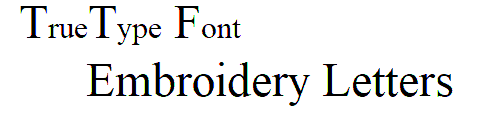
For best results when stitching, do not exceed the recommended maximum or minimum sizes. Note, however, that recommended maximum and minimum heights refer to UPPER CASE letters. Most embroidery fonts are digitized from an original TrueType Font (TTF), some of which have lower-case letters – e.g. ‘a’ and ‘c’ – which are about 70% the height of a capital letter. As a result, these letters may be too small to embroider neatly. You may need to increase the size of the lower-case characters to suit the embroidery.
Special characters
You can create special characters in each font by holding down the Alt key on your keyboard and typing 0 (zero), its code, using the numbers on the keypad. For example, to type ê with the code 234, type Alt+0234. The accented letter will appear when you release the Alt key. See also Insert special characters.
Note: Not all characters are available in all fonts.
Join method
The lettering join method is preset to give the best results for each font. Options include:
|
Join |
|
Purpose |
|
Closest join |
CJ |
Letters are joined at the closest point. Use it to minimize trims. |
|
As digitized |
AD |
Letters are joined as they were digitized. Use it with fonts combining different fill stitch types or special effects. |
If you break apart a lettering object, the join method is lost as the object is no longer a lettering object. For further details about join methods
REFERENCE: Hatch Embroidery 4 | Product Help
Related Articles
Which fonts are included in Hatch Embroidery 3?
Below is a list of the fonts included with each level of Hatch Embroidery 3. They are listed in alphabetical order, the same as they will be listed in your software font list. Category will give you a quick view of what style of fonts they are Join ...How to add my own fonts to Hatch Embroidery?
How to add my own fonts to Hatch Embroidery 3? We get asked often if you can add your own fonts to Hatch? The answer is "it depends on what type of font you have". There are several ways to add new "fonts" to your Hatch Embroidery software. System ...Which fonts are included with each Level in V1?
Below is a list of the fonts that are included within each level in the Hatch Embroidery v1 software: Font Name Customizer (60) Creator (60) Digitizer (86) (JP) Heisei Maru Gosic x x x 2 Col Arial Shadow x x x Algerian x x x Angle Block x x x Antique ...Recommended stitch sizes and use for the extra Hatch Embroidery Font Packs 1-5
Recommended stitch sizes and use for the extra Hatch Embroidery Font Packs 1-5 Hatch Embroidery Customizer and above offers incredible lettering and monogramming features. There are many professional embroidery fonts included with the software, but ...How to connect directly to my embroidery machine in Hatch 2?
Some users want to connect their embroidery software directly to the machine. This means you can click 'transfer' and the file will go directly to the machine without the need for a USB stick. IMPORTANT: If your embroidery machine can be seen as an ...